
- Home
- User Guide
- The Creative Profile
- Social Media Accounts
– Social Media Accounts
Connect your external platforms to your THERA account so the community can discover your broader creative presence, and easily share your THERA profile with the world.
– How to Access
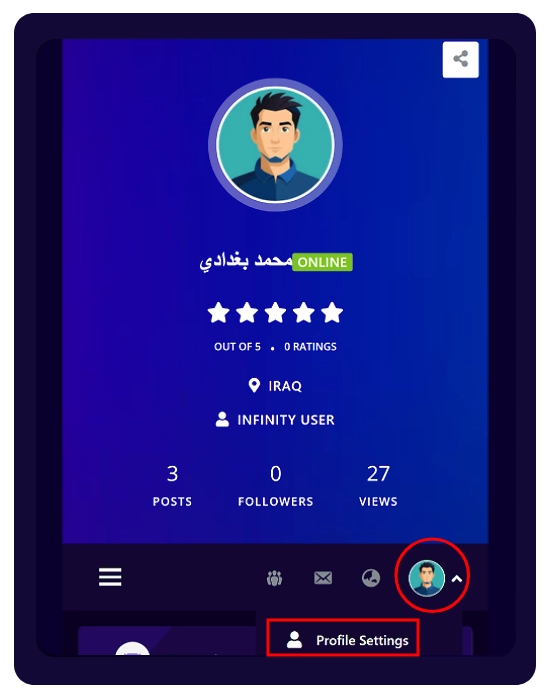
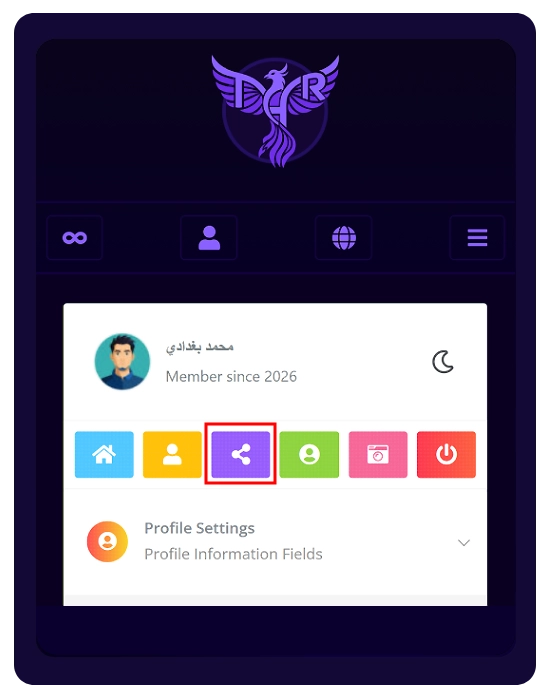
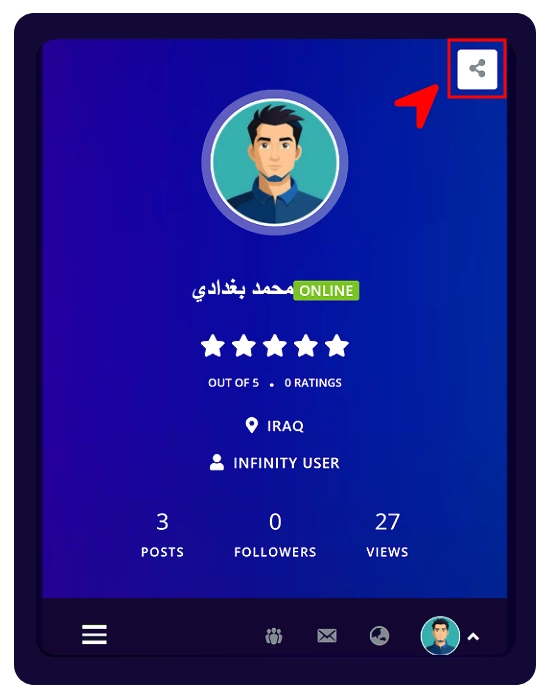
Open the quick menu → Profile Settings → click the Social Networks icon (share icon below your name).
– Adding Your Links
Simply copy and paste the full URLs of your external profiles into the appropriate fields.
✓ Supported platforms:
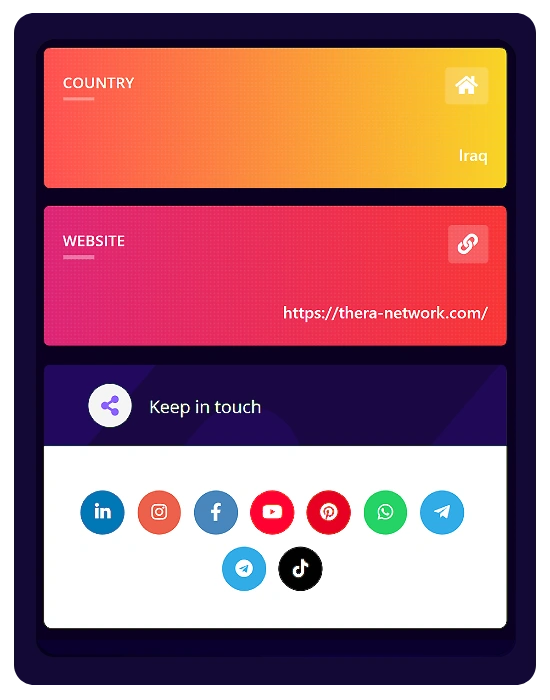
You can link your LinkedIn, Instagram, Facebook, YouTube, Pinterest, WhatsApp, Telegram Account, Telegram Channel, and TikTok.
✓ Fill in only the ones you need!
– How It Appears
Your connected accounts will show as clickable icons in the “Keep in touch” section on your profile.
💫 Sharing Your THERA Profile:
Use the Share icon (top right of your profile) to share your THERA profile with others.
⚠️ Important
The profile Share button generates your profile link only.
To invite users, use your Affiliate Link from the Dashboard.