


- Home
- User Guide
- Affiliate Program
- Getting Your Referral Link
Getting Your Referral Link
Your personal Referral Link is a unique invitation link connected to your account. When a new member registers through your link and completes a valid paid subscription, the referral will be recorded under your account according to the platform’s referral system.
How to Access Your Referral Link
You can access your Referral Link in several easy ways:
- Login & Dashboard:
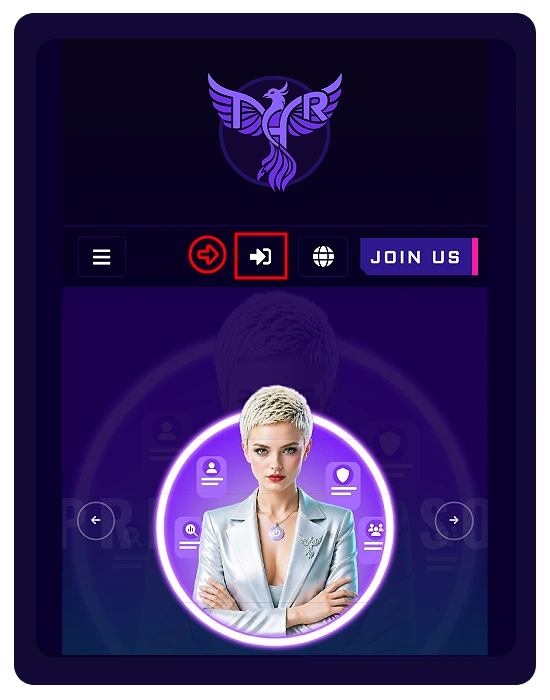
From the Home page (or the top of any page), click the Login icon.
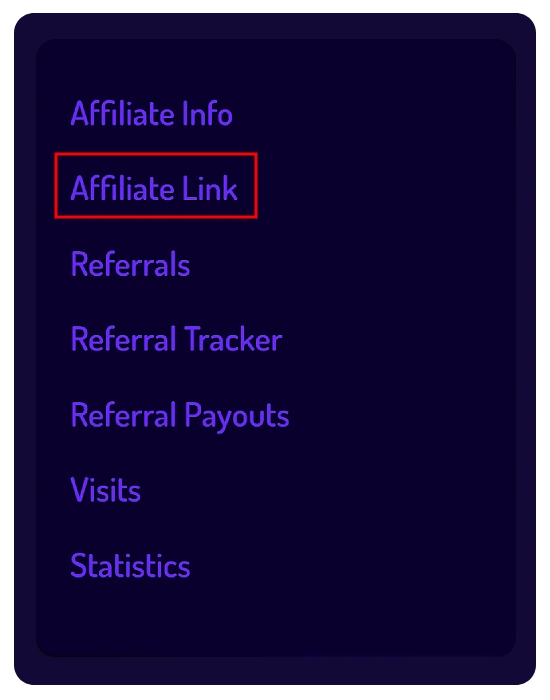
After logging in, you will be redirected to your Account page. From the side menu, open:
- Quick Dashboard Icon:
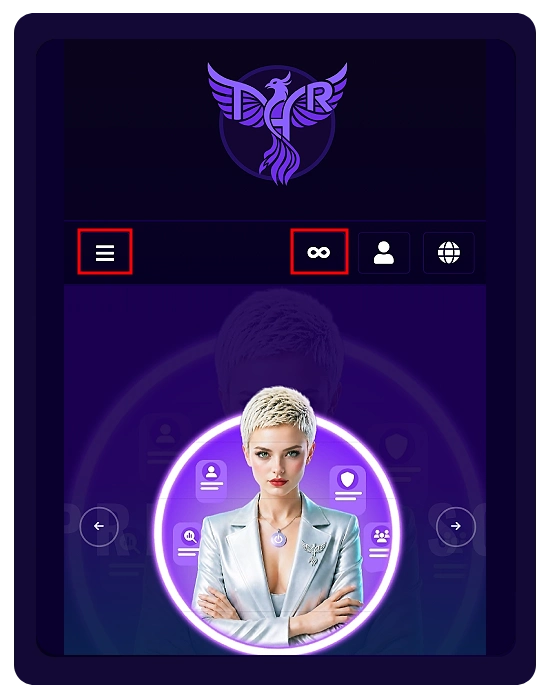
Click your active subscription badge (the SPARK or INFINITY icon) located at the top of the page.
You will be taken directly to the Affiliate Link page.
- Top Menu:
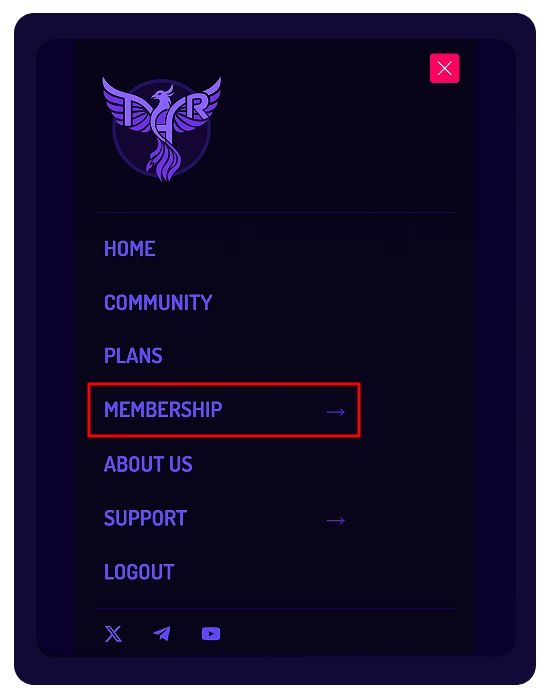
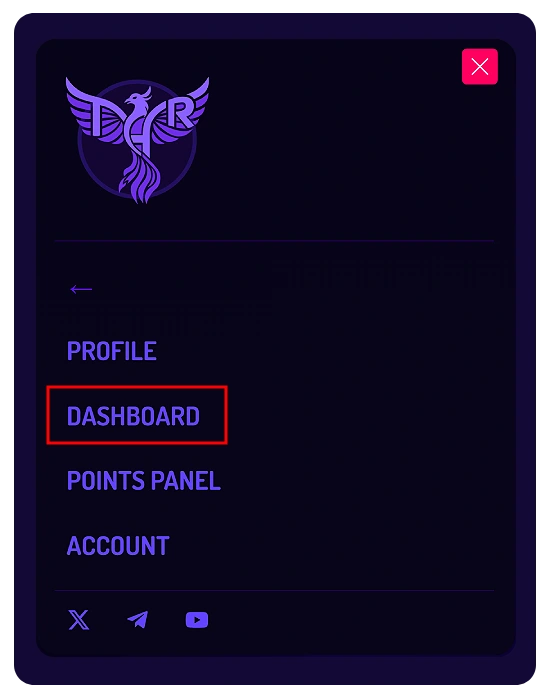
Click the three-line menu at the top of the page. Then open:
Membership → Dashboard → Affiliate Link
🔗 Copying & Sharing Your Link
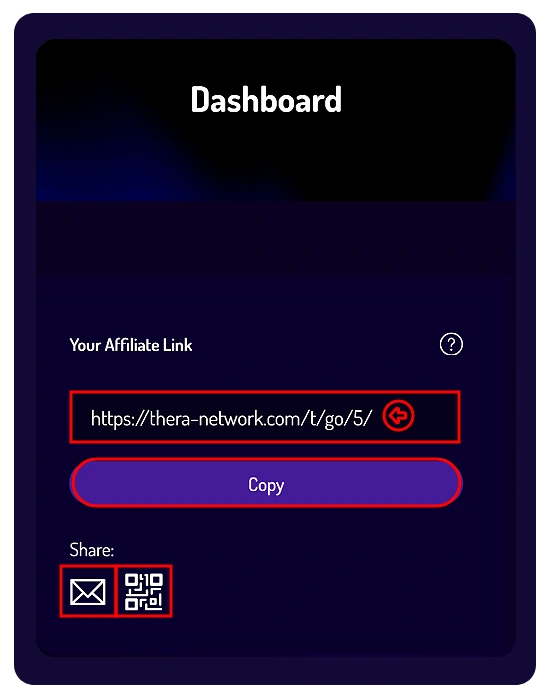
Inside the Affiliate Link page, you will see your personal referral URL.
You can:
- Click the Copy button to copy your link instantly.
- Manually select and copy the link yourself.
- Share the link directly by Email.
- Generate a QR Code using the sharing buttons below the link.
⚠️ Important Verification Step
Before sharing your referral link, always make sure the URL ends with your personal Affiliate ID.
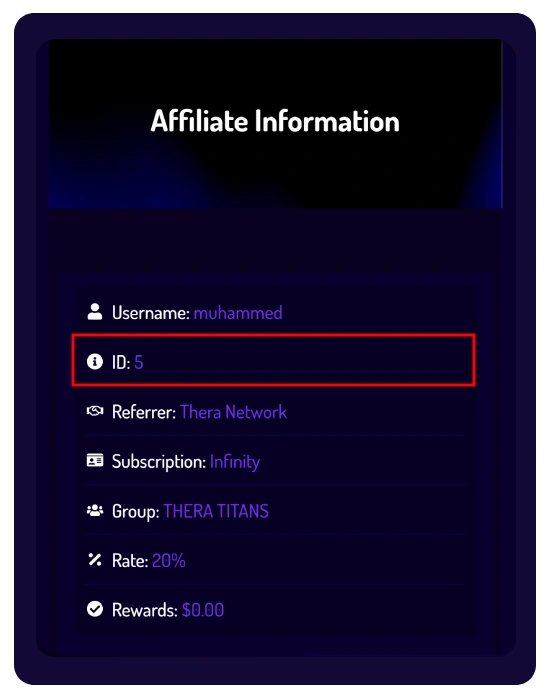
Example: If your Affiliate ID is: 5
Then your referral link should look like this:
https://thera-network.com/t/go/5/
You can also find your Affiliate ID in the Affiliate Info section inside your Dashboard.
Important Note
Referral registrations and rewards are subject to the platform’s Affiliate System rules, subscription validation requirements, and fraud prevention policies.